 User Documentation
 Screenshots help you understand the content better.
A picture is worth a thousand words. That's why a screenshot is often easier to understand than many words. Screenshots should be easy to read, and the presentation should be simple and clear.
To make sure your screenshot is easy to read, there are a few simple things you can do.
Tip 1 – The size – large, but not huge
The Joomla User Guide specifies a maximum width of 966 px for images. Please take screenshots with a minimum width of 1500 pixels so that we are prepared for wider images in the future. Screenshots with a width of more than 2500 px do not improve the image and require too much storage space and bandwidth when loading. Any small changes to this recommendation are not important.
If the screenshot is too large, do not resize it yourself. It's best to change the width of the browser window to make the screenshot the right size. Please do not enlarge a small screenshot. This will make the image quality worse. Once you've done that, you won't be able to correct the issue.
Tip 2 – The informative image section
The cropping is important to make it easier to recognise. You don't have to show the whole screen to show a setting. It's not a good idea to show more here. It confuses readers.
Tip 3 – Using Browser Zoom
You can use the browser's zoom function to change the font size. It makes it easier to read.
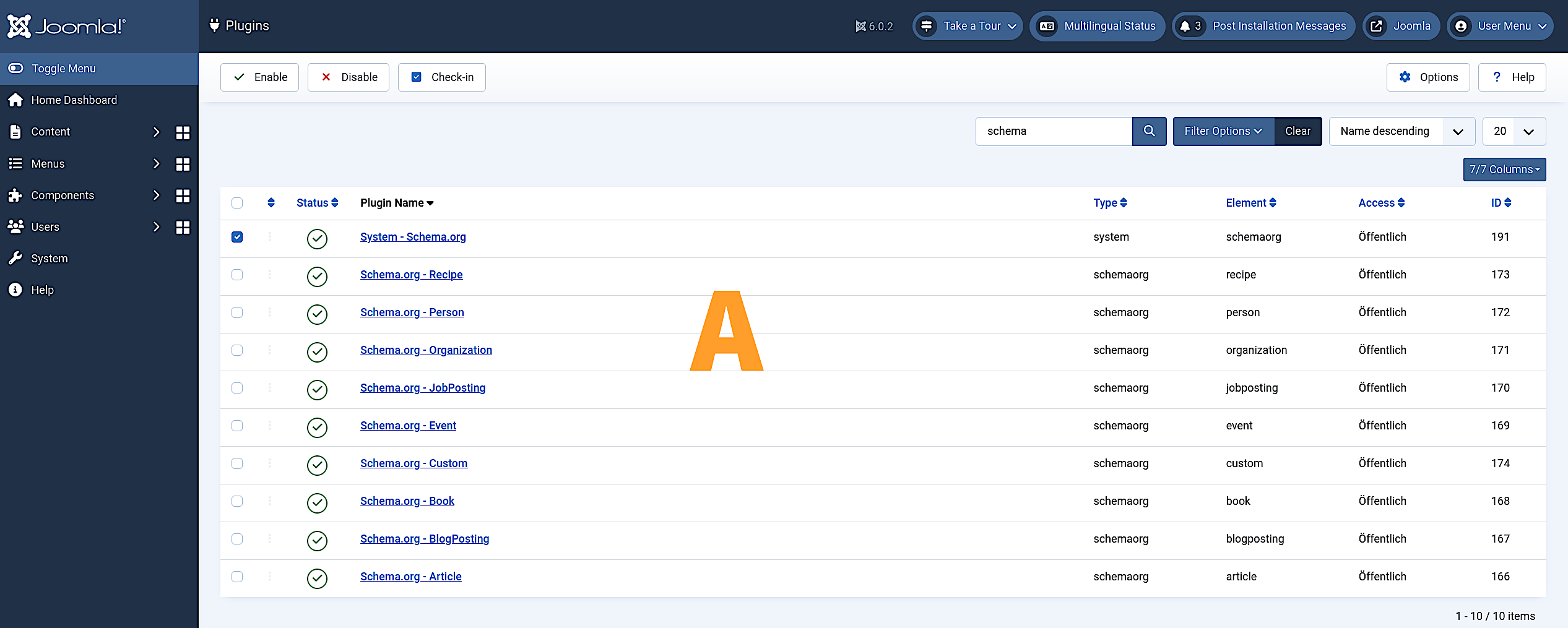
In Example A, the browser window is set to the maximum screen width and the browser zoom is set to 100%.
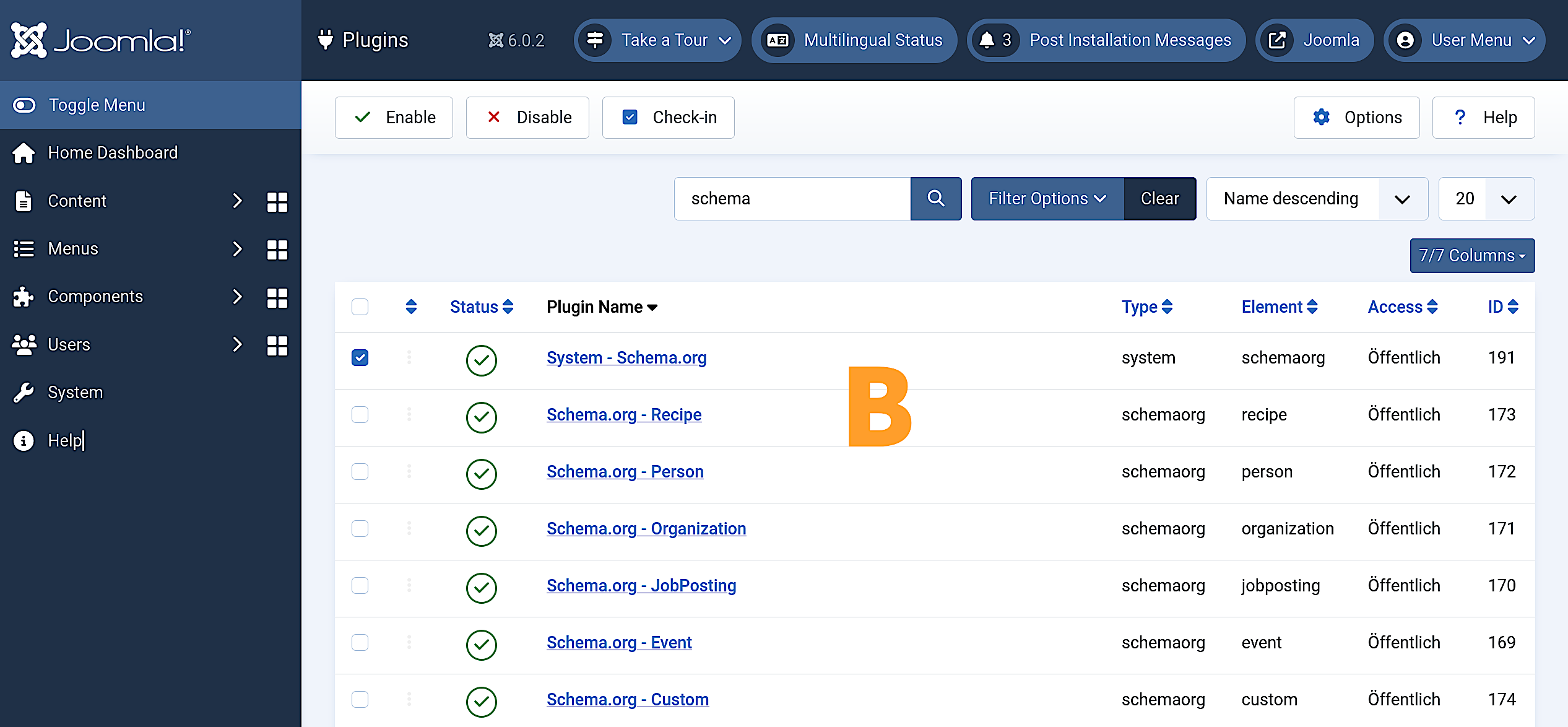
In Example B, the browser window is as before, but the browser zoom level was increased to 150%.
Tip 4 – The file format – only PNG, no JPEG, no WebP
JPEG has one big disadvantage. Every time you save the image, it becomes slightly worse because the compression method doesn't avoid losing quality. The same can happen with WebP. Only PNG works perfectly at every compression level.
Please only upload screenshots as a PNG file.
Tip 5 – Colour space – use sRGB only
You have probably already noticed that an image is not showing correctly. This article doesn't cover everything about the topic. sRGB is OK for displaying colour images on the internet.
Tip 6 – Decorating
Coloured arrows and frames can make a screenshot clearer and easier to understand. The style should always be consistent.
You will be able to download from a sample page.