 User Documentation
 The administrator area is the area that controls all aspects of a Joomla website such as: creating menus and content; installing site features; controlling access. A site owner has control of the entire administrative area and may create accounts for other users, configuring their access for specific responsibilities such as creating, editing, or approving content. This tutorial describes how users log in to the administrator area.
Prerequisites
You must have an administrator account, either as the site owner (e.g. if you just created a new site), or as provided by the site administrator. You will need a username and password. There will be other tutorials for building a site with Joomla.
A Joomla site configured for default login. Sites configured for advanced login options such as Single Sign-On or Passkeys are beyond the scope of this tutorial.
Steps
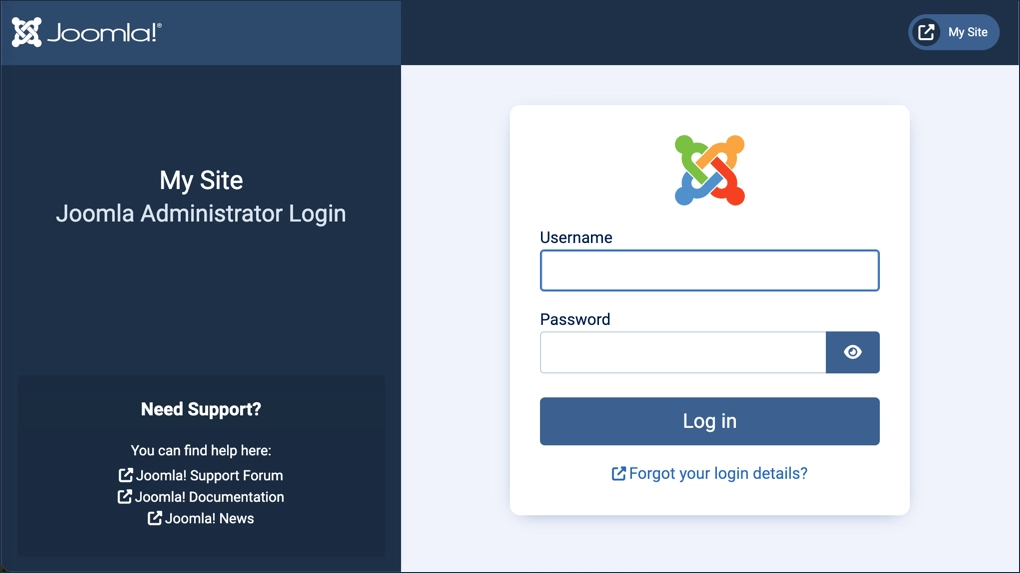
- Open a browser and navigate to the login screen of your site by appending /administrator to your site’s URL. For example, if your site URL is https://www.mysite.com use https://www.mysite.com/administrator.
- Enter your username and password, then click Log In.
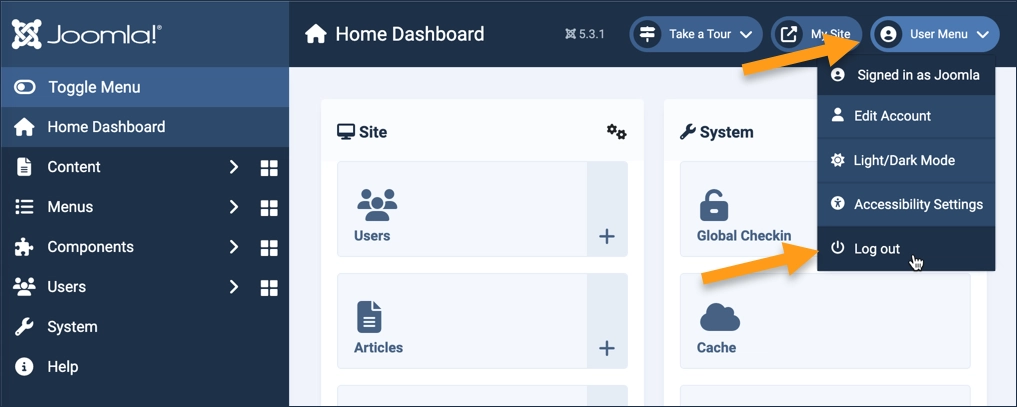
- To log out, select Log Out from the User Menu in the header.
Concepts
- Administrator side.
- Navigating to the login screen. It's important to note that the administrator login screen is different than the non-administrative login form you may see on site pages.
- Logging in with your username and password.
- Logging out.